
probuilder plus
Early Adopter sale! Thanks for supporting Overdrive!
Payment is securely processed entirely via Stripe. We do not use, store, or share any data. See the Install page for details. Questions or concerns? Ask around on our friendly Discord server!
Overview
ProBuilder Plus is a complete overhaul of Unity’s ProBuilder, built by the original author, with Overdrive community help 💖🙇
- Dozens of new/improved, long-requested features
- Choose old-school or modernized UI, with significant improvements to both
- Non-destructive live previews for all actions
- Direct editing of colors, UVs, materials, positions, etc
- Seamless integration with Overdrive Toolset accelerators
We expect this to grow, with additions already planned such as:
- Hotspot UV (thanks Benny! BennyKok/unity-hotspot-uv: Hotspot UV for Unity with ProBuilder support)
- Painting and sculpting
- Prefab fixes
- Full runtime and XR solution
PB+ Highlights
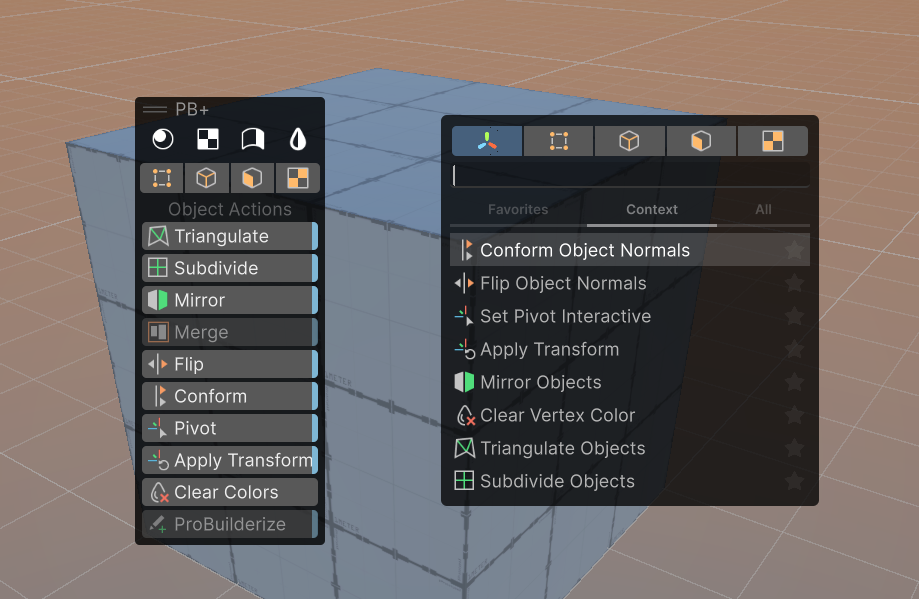
Overlay + Action Pal
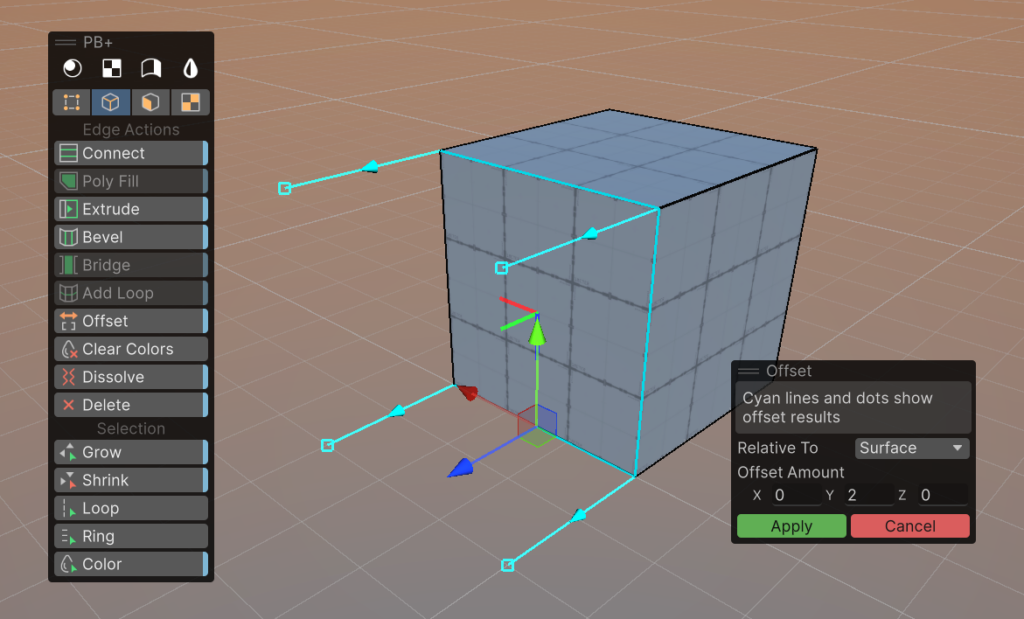
Live Preview + Options
Fast + Intuitive Texturing
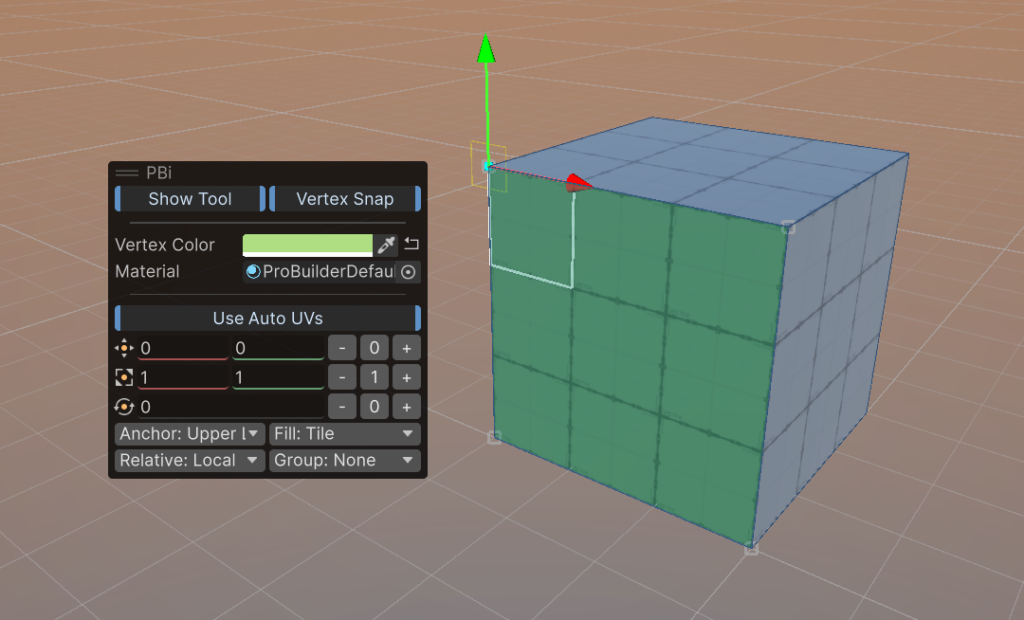
Direct Editing of Color, Material, etc
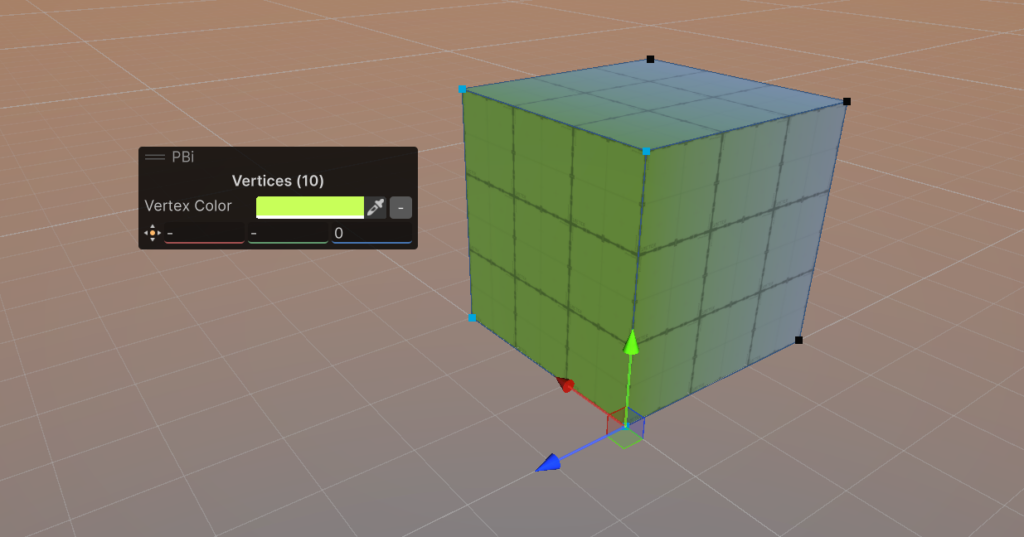
Dissolve / Delete Any Element

All-New Guides and Videos
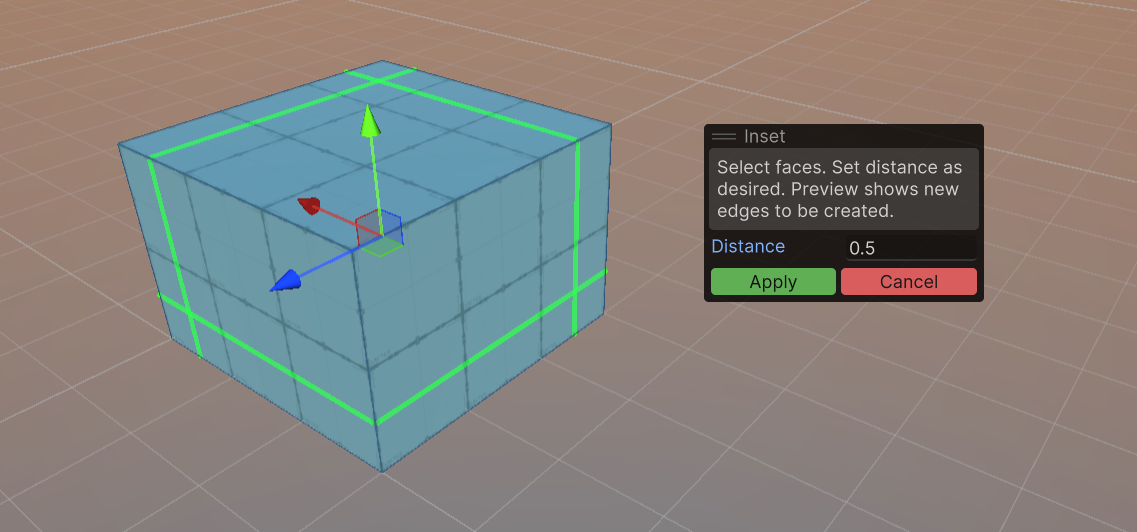
“Inset” & More Long-Requested Features
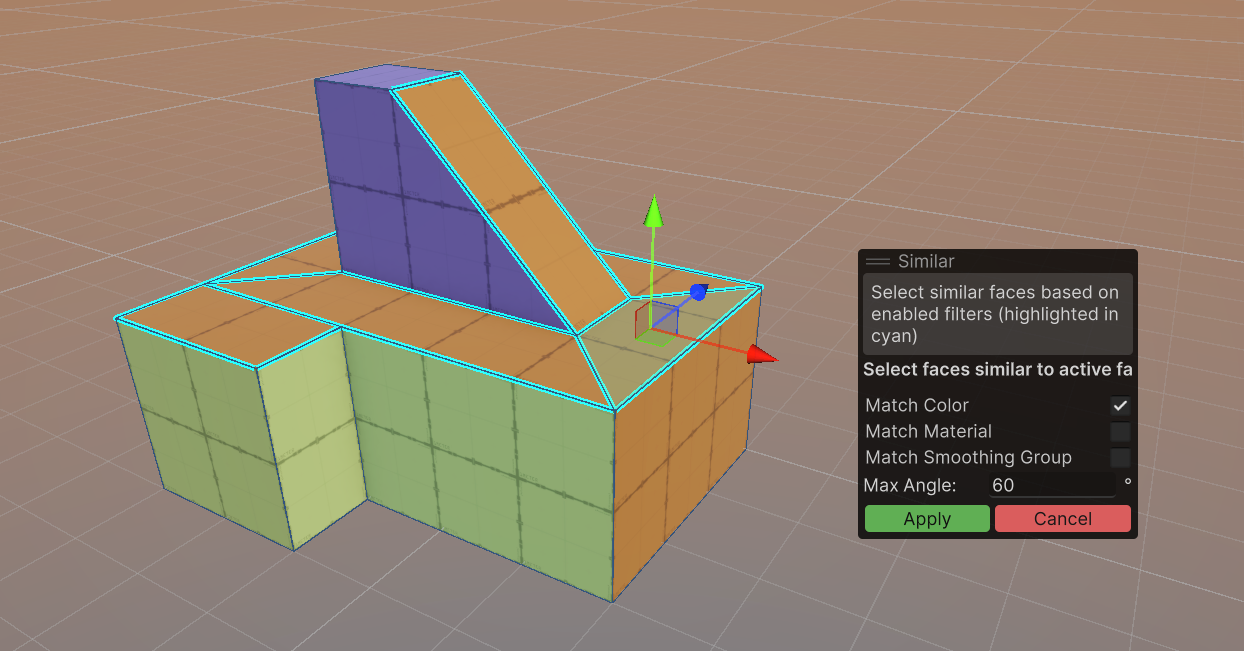
New Selection Helpers
All New Features
- New Actions Overlay UI
- Standard overlay with all actions
- Customizable to also show edit modes and window buttons if desired
- Minimal toolbar versions included
- New Action Pal integration
- View, search, and Favorite actions
- Use as an always-on overlay, or at-mouse popup
- New edit mode – “UV / Texture”
- New in-scene handles for move, rotate, scale textures
- New ability to snap to vertex when moving textures on faces (this one is amazingly useful!)
- New “UV Box” visual, really helps understand how the texture is placed on the surface(s)
- New +/- buttons for quick setting of texture position, rotation, scale
- New in-scene actions for UVs, one click Planar, Box, Fit, Reset, Stretch, Flip
- New Texture Face Group visual and UI, much more intuitive
- New Direct Edit Overlay
- Directly view and set colors, materials, smoothing groups, UV settings, and more
- Directly view and set position, per-axis (eg, move a mixed group of vertices to exactly 3.5 on Y axis, without affecting other axis)
- New for ALL actions: settings with live preview visuals showing exactly what will be created, removed, modified, etc – no more guessing!
- New Object Actions
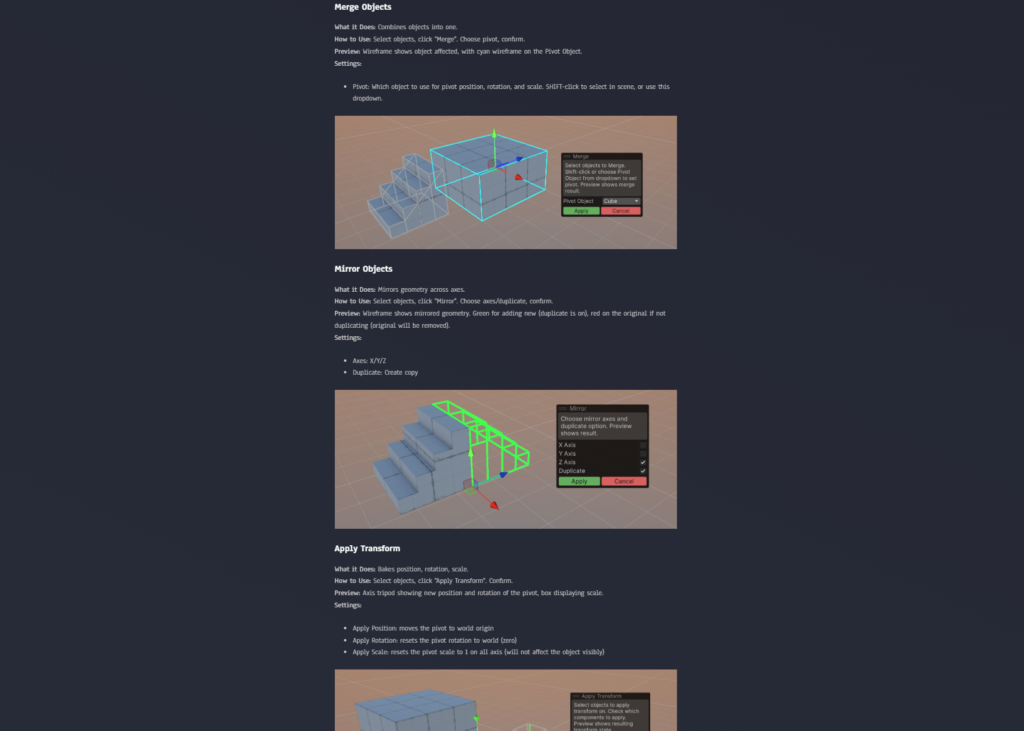
- Merge: new ability to choose pivot object
- New Set Pivot Interactive: Pick exact position for the pivot
- New Apply Transform: Reset position, rotation, scale separately
- New shared element actions
- Offset: move elements an exact distance, using specific directions or even a chosen surface direction
- Clear Vertex Colors: clears all colors from elements, quickly reverting back to basic
- Dissolve: remove edges and vertices without losing faces
- New for Vertex Mode
- Delete: crazy that we never had this. Now you do 🙂
- Weld: new option, Weld to Center or Specific
- Collapse: new option, Weld to Center or Specific
- New for Edge Mode
- Delete: again, how did we never have this? enjoy!
- Connect: new ability to offset the connections
- Bridge: new ability to bridge entire borders
- Add Loop: new ability to offset the loop
- New for Face Mode
- New Inset action: smart, offset-based inset of faces
- New for Selection
- Grow Selection: many more options such as matching color and face
- New Action: Select Face Path. No more guessing ring/loop on faces, just select two and it follows!
- New Action: Select By Color
- New Action: Select By Material
- New Action: Select by Angle
- New Action: Select Similar (a complex, multi-filter version of the quick actions above)
Missing something?
The base ProBuilder API is very, very good (facts 😎). So, if you are keen on other features or changes, we can probably do those as well – just ask! We’d love to hear what changes/additions you’d like to see.